 friv.org.es

Popular Games
Last Played


Toca Find The Differences
4 plays























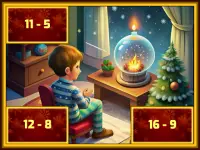











Toca Find The Differences
Are you ready for a fun and challenging game that puts your observation skills to the test? Find The Differences is a puzzle game where you need to spot visual gaps in two pictures. With a timer limiting your search, you'll have to be quick and clever to succeed.
How To Play Toca Find The Differences
Playing this game is easy. First, select the difficulty level, then view two side-by-side images. Your goal is to click on the differences between the two pictures before the timer ends.
Controls and Features
While the controls are not explicitly stated, you can expect to find three difficulty levels: Easy, Medium, and Difficult. Each level comes with a timer that adds an extra layer of challenge to the game.
Tips
To succeed in this game, you need to scan the images slowly and carefully. Click only on differences that are visible between the two pictures, and avoid wasting time on unnecessary clicks.
FAQ
What are the controls?
The controls are not explicitly stated, but you can expect a simple and intuitive interface that allows you to navigate the game.
What is the objective of Find The Differences?
The main objective of the game is to spot visual gaps in two pictures and click on the differences before the timer ends.
How many difficulty levels are there in the game?
There are three difficulty levels in Find The Differences: Easy, Medium, and Difficult.
What feature is included in the game to make it more challenging?
The game includes a timer that adds an extra layer of challenge to the game, forcing you to be quick and clever to succeed.
About this game
- Supported devices
- Desktop
- Genre
- Puzzle Games
- Release date
- 04 December 2024
- Latest update
- 04 December 2024
- Rating
- No ratings yet