 friv.org.es

Popular Games
Last Played


The Minecraft free game
2 plays











 3D Games
 Buckshot Roulette Free
 Five Nights At Shrek's Hotel Free
 Free Rally
 Free Rally Vice
 Garten Of Banban 2 Free
The Minecraft free game
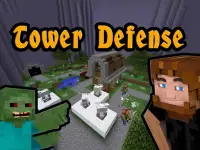
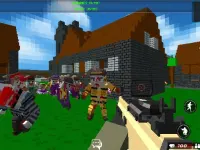
Dive into the Minecraft free game and unleash your creativity in a pixelated world of endless possibilities. Smash blocks, build epic structures, and battle fierce mobs while mastering the quirky controls. Whether you crave adventure or prefer crafting, this Unity3D title offers hours of fun.
How To Play The Minecraft free game
Start by picking survival or creative mode. Gather resources, craft tools, and defend your creations. The process is simple: explore, mine, and create. The game keeps things engaging with its blocky charm and straightforward mechanics.
Controls and Features
Move with WASD keys, jump using spacebar, and use your mouse to interact. Left-click breaks or places blocks, while right-click handles other actions. The Minecraft free game includes two main modes: survival for thrill-seekers and creative for free builders.
Tips
Take your time exploring. The game can feel slow, but steady mining and crafting help you progress. Build shelters to stay safe and experiment with different structures for the best results.
FAQ
How do I start playing the Minecraft free game?
Choose between survival or creative mode. In survival, gather resources to craft tools and defend yourself. Creative mode lets you build freely without limits.
What makes the Minecraft free game different from other building games?
Its blocky universe and clunky controls give it a unique charm. The 3D Games style makes mining and building feel satisfyingly tactile.
Are there any multiplayer features in the Minecraft free game?
This version is single-player focused. You explore, build, and fight mobs alone, which keeps the experience straightforward and fun.
Can I play the Minecraft free game on any device?
The game runs on web browsers using WebGL technology. Just ensure your device supports basic controls for the best experience.
About this game
- Supported devices
- Desktop
- Genre
- Action Games
- Release date
- 24 October 2024
- Latest update
- 24 October 2024
- Rating
- No ratings yet