 friv.org.es

Popular Games
Last Played


Super Car Driving 3d Simulator
2 plays



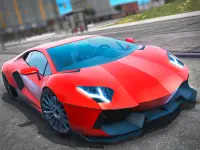





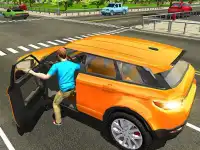
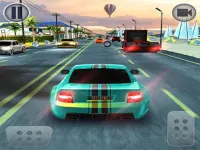
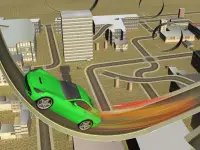


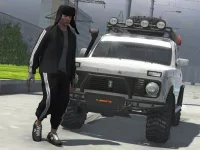





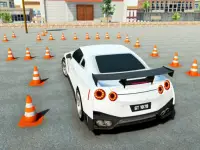











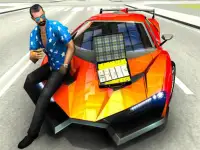




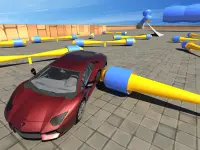





Super Car Driving 3d Simulator
Experience the thrill of high-speed driving with Super Car Driving 3d Simulator. This racing game puts you behind the wheel of powerful vehicles, letting you explore an open city at full speed. The realistic physics make every turn feel authentic, whether you're drifting around corners or pulling off stunts. It's a perfect choice for fans of 3D games who love the excitement of arcade-style racing.
How To Play Super Car Driving 3d Simulator
Steer using arrow keys or WASD, brake with the spacebar, and master drifting by accelerating while turning cleanly. The game rewards precision, so practice your moves to keep control at high speeds. The open city offers endless opportunities for stunts and exploration, making every session feel fresh.
Controls and Features
This simulator features a detailed urban environment where you can freely drive and perform stunts. The browser-based gameplay ensures instant access, while the physics engine delivers a weighty, responsive feel. The game blends arcade fun with realistic mechanics, creating an immersive driving experience.
Tips
Manage your car's momentum carefully, especially before sharp turns. Slowing down slightly helps maintain control and prevents spinouts. The heavier the car feels, the more rewarding it is to master its movements.
FAQ
How do I drift in Super Car Driving 3d Simulator?
Accelerate while making a clean turn to drift successfully. The physics engine responds to your inputs, so practice keeps you in control. The game rewards smooth, precise movements.
Is there a multiplayer mode in this racing game?
No, this is a single-player experience focused on free driving and stunts. You can challenge yourself in the open city without competing against others.
What makes the physics feel so realistic?
The car's weight and momentum react naturally to your actions. Slowing down before sharp turns helps maintain control, making the driving experience feel authentic.
Can I play Super Car Driving 3d Simulator on mobile?
The game is designed for browser play, so it works best on desktop or laptop computers. The controls are optimized for keyboard use.
```About this game
- Supported devices
- Desktop
- Genre
- Racing Games
- Release date
- 24 October 2024
- Latest update
- 24 October 2024
- Rating
- No ratings yet