 friv.org.es

Popular Games
Last Played


Running Races 3D
1 plays










































Running Races 3D
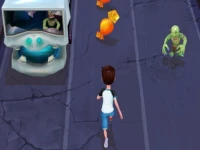
Running Races 3D delivers a fast-paced sprint through colorful environments. You dodge obstacles and push for the finish line using simple controls. The game keeps things lively and approachable, perfect for quick sessions or longer play. It focuses on clean movement and reactive timing. Players can jump, slide, and weave through tracks with ease. The experience feels smooth and engaging, offering a fun challenge for all skill levels.
How To Play Running Races 3D
Start by using arrow keys or swipe gestures to guide your character. Dodge incoming barriers, collect helpful power-ups, and aim to beat your best time. The goal is to stay nimble and keep your run clean while racing across vibrant landscapes.
Controls and Features
The game uses arrow keys or swipes to move left and right, jump up, and slide down. A built-in timer tracks your performance so you can chase personal records. Obstacles appear frequently, and quick reflexes help you stay on track and finish strong.
Tips
Use jump and slide moves with care. Practice steady pacing to make precise moves during hectic moments. Staying calm helps you avoid crashes and reach the finish line faster.
FAQ
What controls does Racing Games use?
Use arrow keys or swipe controls to move, jump, and slide. These inputs let you react quickly to obstacles and stay on course.
What is the main goal in 3D Games?
The goal is to run without hitting obstacles and reach the finish line first. Timing and control are key to winning.
Can I track my progress in running?
Yes, a timer helps you beat your best time. Each run lets you improve and set new personal records.
How do WebGL controls help in the race?
They let you move left, right, jump, and slide to avoid barriers. Quick inputs keep you safe and fast on the track.
About this game
- Supported devices
- Desktop
- Genre
- Racing Games
- Release date
- 24 October 2024
- Latest update
- 24 October 2024
- Rating
- No ratings yet