 friv.org.es

Popular Games
Last Played


Barber Cut
1 plays











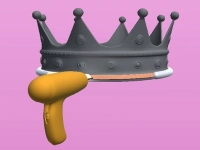





















Barber Cut
Barber Cut is a quick browser game where you take on the role of a virtual barber. With a simple trimmer in hand, you swipe to cut hair and try not to mess up, which keeps you glued to the screen. The goal is to finish each haircut neatly and earn tips from happy customers. This Hypercasual Games title offers fast, easy fun for anyone looking for a quick challenge.
How To Play Barber Cut
To start, click or tap to make the customer sit down. Then, swipe across the hair to clean it up and complete the style. The game is easy to learn but requires a steady hand to avoid mistakes. Follow the on-screen guidance to get each cut just right and move on to the next customer.
Controls and Features
You use your mouse or finger to swipe and trim the hair, making the controls simple and direct. The game features quick, easy cuts, vibrant hairstyles, and fast-paced levels that keep the action moving. It is designed for 3D Games fans who enjoy html5 games for your site that load instantly and play smoothly in any browser.
Tips
Try to be slow and steady when you swipe to maintain control. Follow the on-screen instructions closely to get the style right and finish each haircut successfully without any mishaps.
FAQ
What controls are used in Barber Cut?
You use your mouse or finger to swipe and trim the hair, which makes the game easy to play on both desktop and touch devices.
What is the main objective in Barber Cut?
The objective is to complete each haircut neatly to earn tips from satisfied customers and progress through the fast-paced levels.
How do I start a haircut in Barber Cut?
Click or tap to make the customer sit, then swipe across the hair to clean it and follow the on-screen style guide.
What makes Barber Cut fun and engaging?
The game keeps you glued to the screen with its simple swipe mechanic, vibrant hairstyles, and the challenge of not messing up a cut.
About this game
- Supported devices
- Desktop
- Genre
- Hypercasual Games
- Release date
- 24 October 2024
- Latest update
- 24 October 2024
- Rating
- No ratings yet