 friv.org.es

Popular Games
Last Played


Truck Factory For Kids
0 plays





































 Cool Math Kids
 Easy Friv Kids Games
 Friv Easy Kids Games
 Friv Games Kids
 Friv Instant Kids Games
 Friv Kids
Truck Factory For Kids
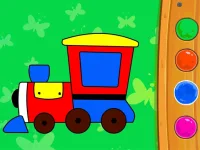
Truck Factory For Kids invites young players into a playful browser world where building and creativity take center stage. Kids can click to customize colorful trucks by selecting different models, picking vibrant colors, and adding fun accessories. The main activity involves building trucks from the ground up, giving children a hands-on experience in a safe and engaging environment.
How To Play Truck Factory For Kids
To play, start by choosing a truck model. Then, customize it with your favorite colors and accessories. Before final assembly, make sure to clean the parts. This simple process lets kids enjoy building trucks step by step without any pressure.
Controls and Features
The game uses a straightforward mouse-based interface. Players click to select parts and drag them into place. It features interactive building tasks and plenty of customization options inside a cheerful setting. The controls are easy to learn, making it perfect for younger players who want to focus on creativity.
Tips
Move parts slowly and carefully with the mouse. Drag and drop pieces to assemble your truck without worrying about complex controls. Taking your time helps you build better and enjoy the process.
FAQ
What are the controls in Truck Factory For Kids?
The controls involve clicking and dragging with a mouse. You select parts and move them into place to build your truck.
What is the main objective of the game?
The goal is to assemble trucks by completing different building challenges. Kids customize models with colors and accessories before putting them together.
Can kids clean parts before building?
Yes, cleaning the parts is part of the process. Kids clean each piece before assembling their colorful trucks.
Is Truck Factory For Kids easy to play?
Yes, the game has a simple mouse-driven interface. It features interactive building tasks and customization options in a playful environment.
About this game
- Supported devices
- Desktop
- Genre
- Girls Games
- Release date
- 24 October 2024
- Latest update
- 24 October 2024
- Rating
- No ratings yet