Popular Games
Last Played


Stack Colors!
1 plays














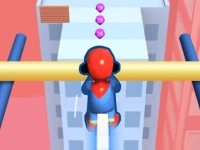







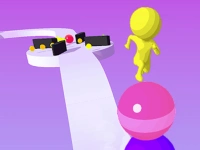


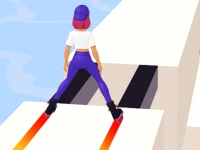



Stack Colors!
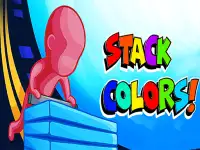
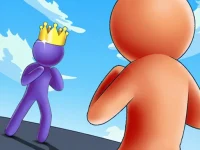
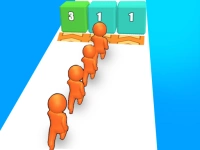
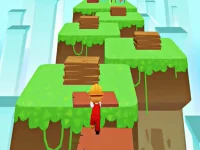
Stack Colors! is a fun arcade game that tests your focus and coordination. The challenge is simple: build the tallest tower by stacking bricks that match your character's color. Every wrong move could topple your creation, so play carefully. This html5 game keeps you engaged with its clean mechanics and vibrant colors. Perfect for quick sessions, it's ideal for players who enjoy skill-based challenges.
How To Play Stack Colors!
Your goal is to stack as many matching bricks as possible. Watch the character's color closely, then tap bricks of the same hue to add them to your tower. The game handles the stacking for you, so focus on speed and accuracy.
Controls and Features
The controls are simple: just tap the screen to pick up bricks. The game automatically stacks them in your tower. The mechanic is intuitive, making it easy to jump right in. The game doesn't require advanced strategies, just quick reactions and careful observation.
Tips
Take your time to avoid mistakes. Rush and you might grab the wrong color. Always check the character's current color before tapping. Practice helps, so don't worry if your first towers are short.
FAQ
How does Stack Colors! work?
You tap bricks matching your character's color to build a tower. The game stacks them automatically. Your score depends on how high you can build without mixing colors.
What makes Stack Colors! challenging?
The challenge comes from the need to match colors quickly. Mistakes cause your tower to fall, so you must stay focused and move with precision.
Can I play Stack Colors! on mobile devices?
Yes, the game is designed for touch controls. Tapping bricks is the main way to interact, making it perfect for smartphones and tablets.
Does Stack Colors! have levels?
The game does not mention levels. The focus is on stacking as many bricks as possible in a single session without mixing colors.
```About this game
- Supported devices
- Desktop
- Genre
- Arcade Games
- Release date
- 24 October 2024
- Latest update
- 24 October 2024
- Rating
- No ratings yet