 friv.org.es

Popular Games
Last Played


Glowit - Two Players
1 plays















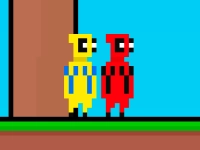













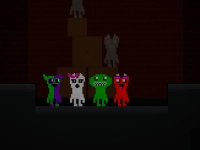







Glowit - Two Players
Looking for a fun arcade games challenge with a friend? Glowit - Two Players offers fast-paced action where two competitors face off in different mini-games. Each round changes things up with new tasks, so you'll always be on your toes. This 2D duel tests reflexes and strategy, making it perfect for quick matches or extended play sessions.
How To Play Glowit - Two Players
Select the two-player mode and take turns tackling mini-games. Rules vary per round, so pay attention and react quickly to outperform your opponent. The player winning the most rounds becomes the champion.
Controls and Features
Control your character using arrow keys or WASD, with mouse clicks for interactions. The hypercasual games pack simple but exciting mechanics. Random challenges keep every match unpredictable and full of surprises.
Tips
Read instructions carefully before starting. Balance speed and precision to stay ahead. Avoid distractions to focus on winning each round.
FAQ
What makes Glowit - Two Players different from solo arcade games?
This 2 player game requires cooperation and competition. You'll need a friend to fully enjoy the experience, as the game is built for local multiplayer battles.
Can you customize the mini-games in Glowit - Two Players?
No, all challenges are randomly selected. This keeps matches fresh and unscripted, ensuring no two playthroughs are the same.
Are the controls easy to learn for beginners?
Yes, the mechanics are simple. Arrow keys or WASD handle movement, and mouse clicks cover interactions, making it accessible for all players.
How long does a typical match last in Glowit - Two Players?
Matches vary in length depending on rounds played. Quick sessions can last minutes, while longer battles may extend gameplay further.
```About this game
- Supported devices
- Desktop
- Genre
- Arcade Games
- Release date
- 24 October 2024
- Latest update
- 24 October 2024
- Rating
- No ratings yet