 friv.org.es

Popular Games
Last Played


Fashion Tattoo Studio 4
0 plays



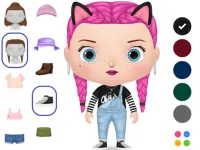









































Fashion Tattoo Studio 4
Fashion Tattoo Studio 4 is a creative game that lets you design and color tattoos for girls in a virtual studio. This browser-based game is a fun way to express your artistic side and help the girls look their best. It's a great game for kids who love fashion and design, and it's a perfect way to spend some time being creative and having fun.
How To Play Fashion Tattoo Studio 4
First, select a girl and choose a design to begin with. Then, use your mouse or touchscreen to trace the outlines and color in the tattoos. The goal is to keep the process clean and make sure the colors fill in correctly. You can take your time and work slowly to avoid making mistakes.
Controls and Features
The game is controlled by using a mouse or touchscreen to select, trace, and color the designs. There's no timer, hints, or difficulty levels to worry about - just focus on creating your masterpiece. You can choose from a variety of designs and colors to make each girl's tattoos unique and stylish.
Tips
One important tip is to work slowly and carefully to avoid mistakes. Take your time to follow the design outlines and make sure the colors fill in correctly. This will ensure that your tattoos look professional and polished.
FAQ
What are the controls in Fashion Tattoo Studio 4?
Controls involve using a mouse or touchscreen to select, trace, and color the designs.
What is the main objective of the game?
The main objective is to design and color tattoos for girls in a virtual studio.
Are there any features or modes in the game?
No, there are no stated features or modes in the game.
How do I get started with the game?
Simply select a girl and choose a design to begin with, then use your mouse or touchscreen to trace the outlines and color in the tattoos.
About this game
- Supported devices
- Desktop
- Genre
- Girls Games
- Release date
- 24 October 2024
- Latest update
- 24 October 2024
- Rating
- No ratings yet