 friv.org.es

Popular Games
Last Played


Chroma
4 plays










































Chroma
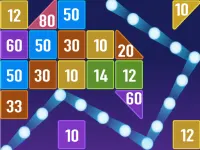
Chroma is a colorful puzzle game that's sure to challenge and entertain you. Its vibrant graphics and addictive gameplay make it a must-play for fans of arcade and puzzle games. In this article, we'll dive into the main mechanics, features, and tips to help you improve your skills and beat the levels. Chroma is a great addition to any gaming collection, especially for those who enjoy color-based challenges.
How To Play Chroma
Playing Chroma is easy: simply drag colorful pieces into place and try to complete each level as quickly as possible. With a mix of fast-paced and timed puzzles, you'll need to think strategically and make quick decisions to progress through the game.
Controls and Features
Use your mouse or finger to click and drag the puzzle pieces to move them around and drop them into the right spot. The game features a timer and timed puzzles, adding an extra level of challenge and excitement to the gameplay. As you progress, you'll encounter tricky shapes and combinations that require patience and skill to solve.
Tips
When handling tricky shapes, it's best to take your time and approach the puzzle calmly. Use your mouse or finger to drag the pieces and drop them into the right spot, and don't be afraid to retry if you get stuck.
FAQ
What are the controls in Chroma?
Use your mouse or finger to click and drag the puzzle pieces to move them around and drop them into the right spot.
What is the main objective of Chroma?
The main objective is to complete each level as quickly as possible by dragging colorful pieces into place.
What features does Chroma include?
Chroma includes a timer and timed puzzles, adding an extra level of challenge and excitement to the gameplay.
What is the main mechanic in Chroma?
The main mechanic is dragging and dropping pieces to solve puzzles.
About this game
- Supported devices
- Desktop
- Genre
- Sports Games
- Release date
- 24 October 2024
- Latest update
- 24 October 2024
- Rating
- No ratings yet